WeasWidget

Contents:

  • Quick Start
  • Installation
  • Editing the structure
  • Apps
  • GUI controls
  • Command Line Interface
  • Color
  • Cell
  • Bond
  • Operation
  • Save and Restore State
  • Animation
  • Boundary mode
  • Measurement
  • Isosurface
  • Fermi Surface
  • Volume Slice
  • Vector Field
  • Lattice plane
  • Highlight atoms
  • Mesh Primitive
  • Any Mesh
  • Add text
  • Operator Search
  • Selection
  • Camera
  • Using Agent
  • Developer documentation
  • Gallery
  • Read the Docs integration
WeasWidget
  • Operator Search
  • View page source

Operator Search

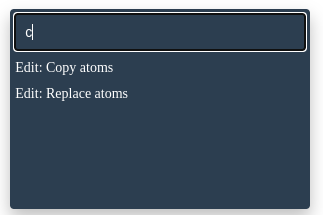
The Operator Search pop-up lets you search for a certain operator and execute it. This is particularly beneficial for users looking to execute advanced operations not readily exposed in the GUI.

Shortcut: Ctrl + F
_images/operator_search.png
Previous Next

© Copyright 2023, Xing Wang.

Built with Sphinx using a theme provided by Read the Docs.