Measurement
It offers interactive capabilities to measure distances, angles, and positions directly on the viewer.
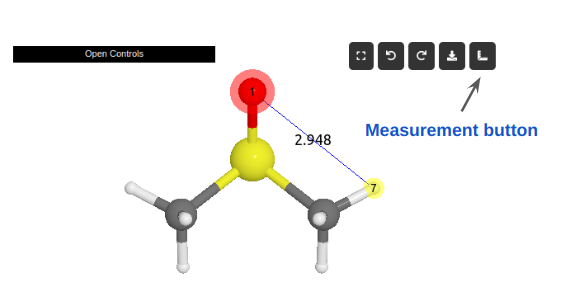
Example of the measurement tool in action. The distance between two atoms is being measured.
Usage Instructions
To initiate a measurement, users should first select the desired atoms within the viewer and then click the measurement button (icon of a ruler).
The type of measurement performed automatically adapts based on the number of atoms selected, as outlined below:
No atoms selected: Clears all previous measurements displayed in the scene.
Single atom selected: Displays the selected atom’s xyz coordinates and its atomic symbol.
Two atoms selected: Calculates and displays the interatomic distance between the two selected atoms.
Three atoms selected: Measures and shows the angle formed by the bonds between the first and second atoms, and the second and third atoms (i.e., the angle across bonds 12 and 23).
Four atoms selected: Computes and visualizes the dihedral angle between the planes formed by the first two and the last two bonds (i.e., the angle between bonds 12 and 34).