Editing the structure
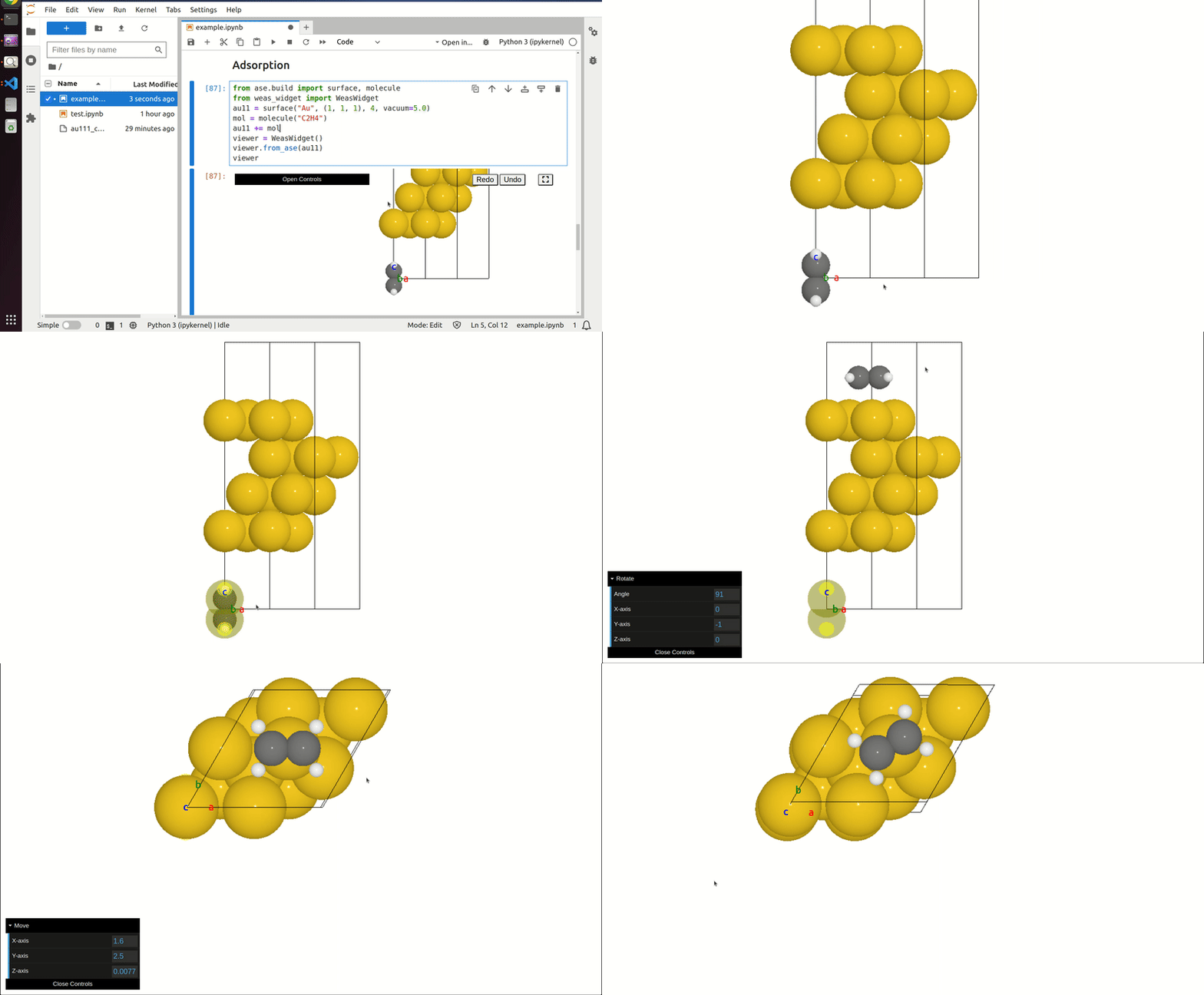
WEAS supports direct, interactive editing in the GUI with automatic synchronization to the Python structure.
Select Atoms
There are three ways to select atoms:
Pick: click an atom to select it (click again to deselect).
Box: hold
Shiftand drag to box-select atoms.Lasso: hold
Shift + Altand drag to lasso-select atoms.
Move, Rotate, Scale, Duplicate
Use keyboard shortcuts to transform the current selection, move the mouse to apply, and click to confirm.
gtranslaterrotatesscaledduplicate and move
Rotation defaults to the camera axis through the selection center.
To rotate around a custom axis, press r to enter rotate mode, then press a and click one or two atoms, then press a again to exit axis picking.
One atom sets the rotation center (camera axis), two atoms define the bond axis.
The axis is shown with orange crosses and a long orange line (for two atoms), and stays active until you redefine it.
Press a again to exit axis picking and rotate; click an axis atom again to deselect it.
Press r then x, y, or z to lock rotation to a world axis (press the same key again to unlock).
Translate Axis Lock
Press g to translate, then press x, y, or z to lock movement to that axis.
To translate along an atom-defined axis, press g then a and click two atoms, then press a again to exit axis picking.
To translate in an atom-defined plane, press g then a and click three atoms, press a again to exit axis picking, then press p for plane or n for normal.
Operation |
Shortcut |
|---|---|
Move |
|
Rotate |
|
Duplicate |
|
Delete selected atoms
Press Delete to remove the selected atoms.